
WordPress to Astro: Real Results From 5 Sites
Astro vs WordPress, with data instead of opinions: what happened to search traffic, leads and speed on five sites we moved off WordPress and Wix, and the migration steps behind the results.
On This Page
A lot of business owners are tired of WordPress. The plugin updates, the security patches, the theme that breaks when you touch it, the site that crawls on a phone. Astro keeps coming up as the way out, and "Astro vs WordPress" posts are everywhere.
Most of those posts are opinions. This one is data. Since spring we have moved client sites off WordPress (and one off Wix) onto Astro, including a dermatology practice, a podiatry practice, a law firm, a chiropractic and physical therapy office, and a regenerative medicine practice. Our own site made the same move. Below is what happened to their search traffic, their leads and their speed, and what made the difference. I am keeping the clients anonymous, but the numbers come straight from their Google Search Console and Analytics accounts.
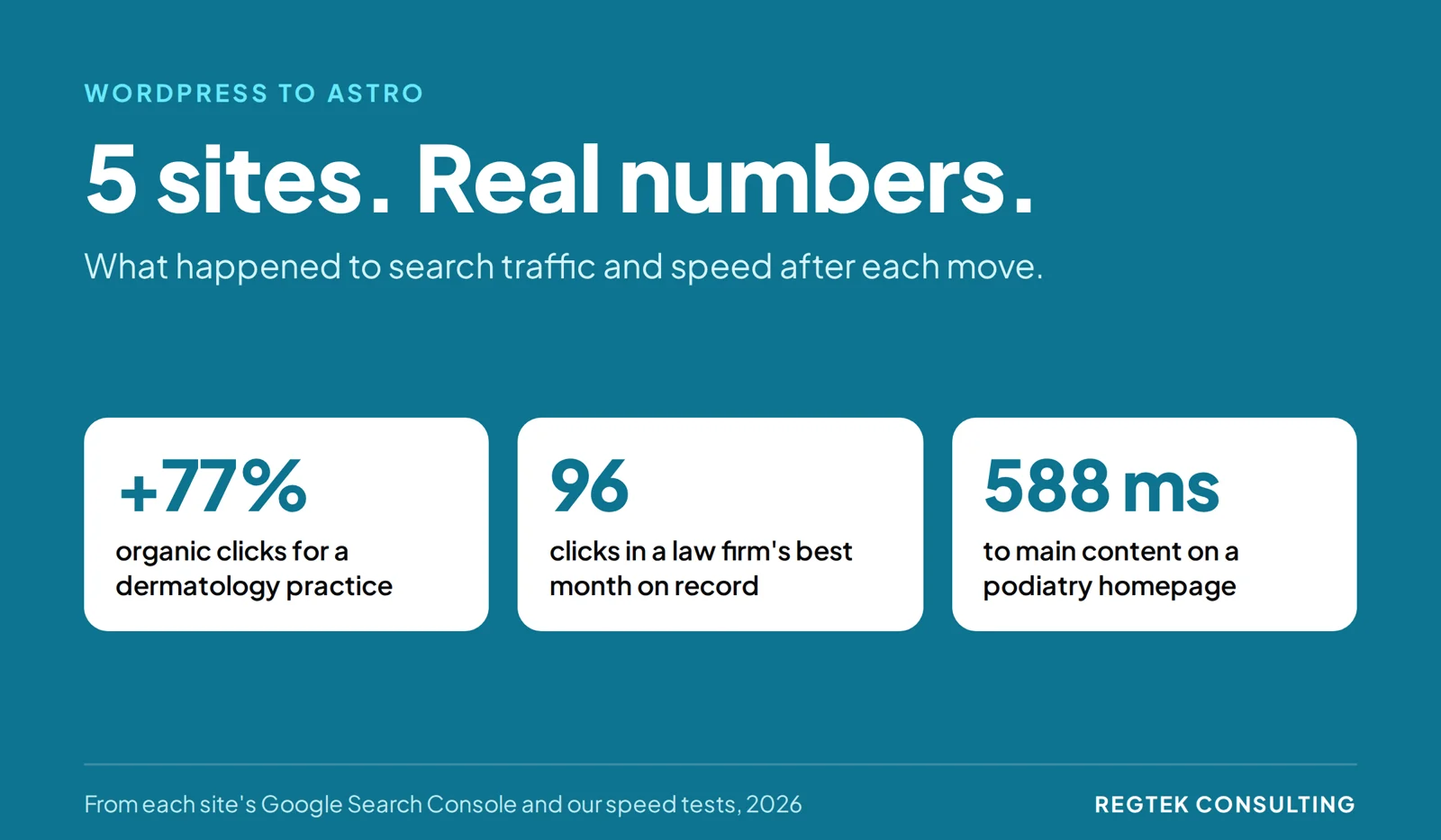
Quick answer: Moving from WordPress to Astro makes a site faster and simpler to run, and the results show up in search and in leads. Across five sites we moved, a dermatology practice gained 77% more Google search clicks, a law firm had its best month on record, and a practice we moved off Wix went from 51 leads a month to 90.
Should you move your WordPress site to Astro?
Move when WordPress itself is what is holding the site back. Stay when the problem is the content, the layout, or the offer.
Good reasons to leave WordPress:
- The site is slow on phones and the speed fixes keep getting undone by the next plugin or theme update.
- You pay someone every month mostly to keep plugins and the core patched.
- The theme or page builder makes simple changes risky, so nobody touches the site.
- You want pages built around one job, like a call or a booking, and the builder fights you.
Reasons to stay:
- Several people on your team publish in the WordPress editor every week and like it.
- You run a store, memberships, or courses on WordPress plugins.
- The site is fast enough and people who arrive actually call or buy. Then the platform is not your problem.
This fall we rebuilt a dermatology practice's site and kept it on WordPress on purpose. The team wanted to write and update their own pages, and they wanted an editor that is easy to use without a developer. So we kept WordPress and its visual page builder and made the site faster underneath: the condition pages went from 48 MB of images to 3.1 MB, and the live pages now score 71 to 81 on the mobile speed test. Leaving WordPress would have taken away the thing they valued most.
If you are not sure which camp you are in, start with how to decide between a new website and fixing the one you have.
Astro vs WordPress: what is actually different?
WordPress builds a page from a database each time a visitor asks for it, then relies on caching and plugins to make that fast. Astro builds the pages ahead of time as plain HTML and only sends JavaScript to the browser where a page needs it. Its documentation calls this server-first, with interactive islands only where they are needed.
| WordPress | Astro | |
|---|---|---|
| How pages are served | Built from PHP and a database, usually cached | Built ahead of time as HTML files |
| Extra features | Plugins | Written into the site, or added as components |
| Updates to keep up with | Core, theme, and every plugin | Code dependencies, updated when you choose |
| Editing content | Built-in admin dashboard | Files, or a separate content editor you connect |
| Hosting | A PHP host with a database | Any static host or CDN |
The practical differences between running a site on WordPress and on Astro.
The trade is simple. You give up the WordPress dashboard and the plugin marketplace. You get a site with far fewer moving parts, which is where most of the speed and most of the peace of mind come from.
What happened when we moved sites to Astro?
Search clicks went up and leads went up. Here are the numbers, before and after each move, from each site's Google Search Console and Analytics.
| Site | Moved from | Before | After |
|---|---|---|---|
| Dermatology practice | WordPress | 642 search clicks a month | 1,135 in July (up 77%) |
| Law firm | WordPress | 69 search clicks a month | 96 in September, its best month on record |
| Chiropractic and PT office | WordPress | 41 search clicks a month | 62 a month (up 51%) |
| Regenerative medicine practice | Wix | 51 leads a month | 90 in September (up 76%) |
Before and after each move to Astro, from each site's Google Search Console and Analytics.
A few things stand out:
- The dermatology site's searchers got more ready to call. The share of searchers who clicked through went from 0.50% to 1.77%, so the people finding the site were looking for that practice and what it treats. The full search data for that move is here.
- The law firm's September was its best month on record, with 96 clicks.
- The chiropractic office kept climbing, from 41 clicks a month before the move to 55 in its first three months and 62 after that.
What happened to leads?
Leads are the number that pays the bills, and they moved too. The regenerative medicine practice we moved off Wix went from an average of 51 leads a month before the move to 90 in September and 87 in October. Leads from search alone went from about 20 a month to 38.
That is what a site built around one job does: every page leads to a call or a booking, and the tracking was set up before launch so every lead counts.
Is Astro faster than WordPress?
Usually, but not automatically. If you copy WordPress's output into Astro, you copy its weight too, so part of every move is cutting what the old site left behind.
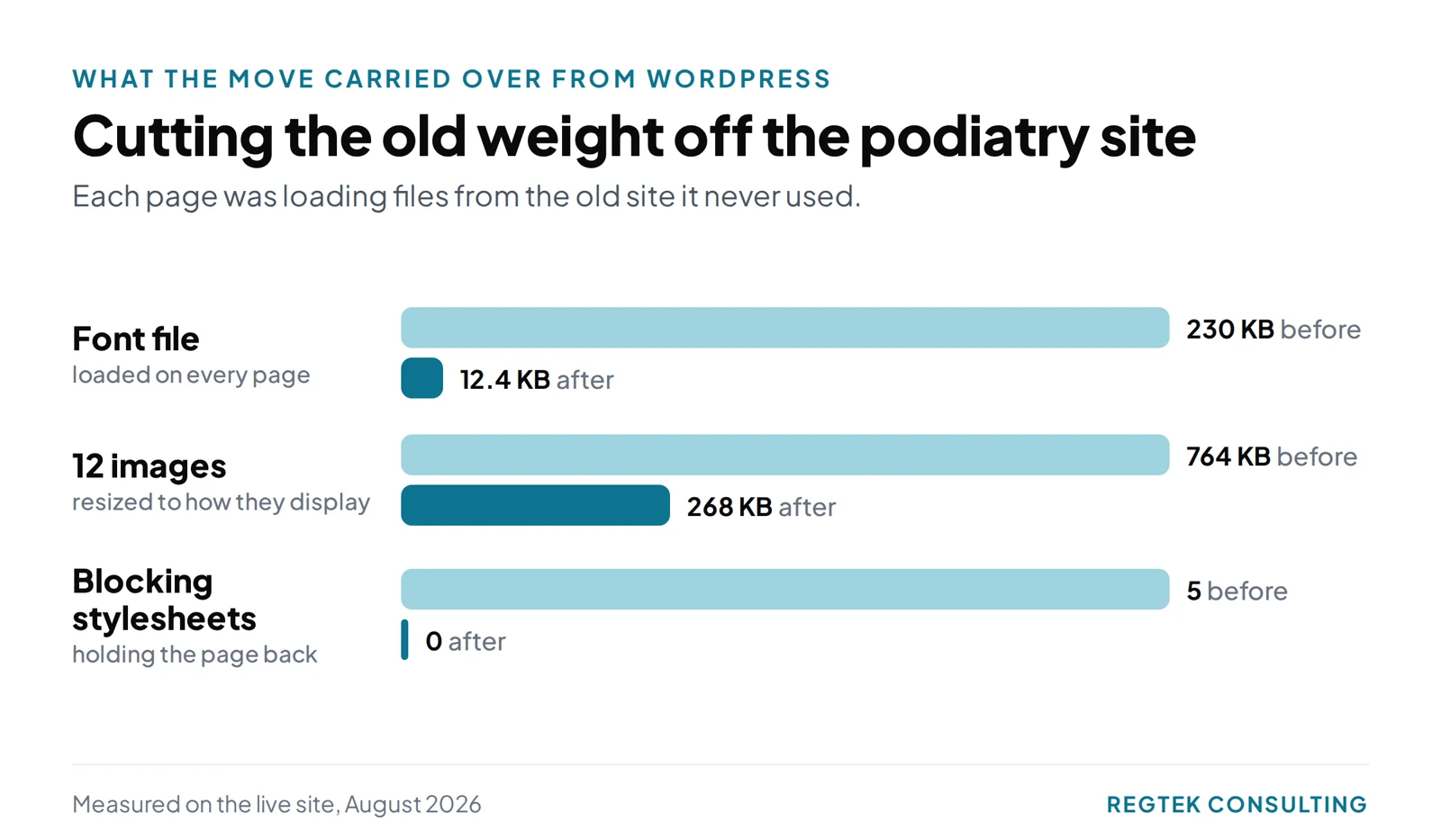
On the podiatry site, the old WordPress font file came along in the move: 642 font definitions, including four font families the site never used. That one file was 85% of the stylesheet that blocked the page from showing.
After we cut the fonts to what the pages actually use, on a throttled phone test:
- render-blocking stylesheets went from 5 to 0;
- the homepage's main content showed in 588 milliseconds instead of 1,192;
- the About page's main content showed in 2.4 seconds instead of 5.3.
The chiropractic office's site now scores 100 for desktop performance in Lighthouse and 79 on mobile. Google's guide to Largest Contentful Paint explains the "main content showed" measure if you want to run the same test on your own site.
How do you migrate WordPress to Astro without losing SEO?
Treat the move as a site migration first and a rebuild second. Every URL that ranks needs a home on the new site, and every old address needs to send people there. This is the order we work in:
- Crawl every live URL and export at least six months of Search Console data, so you know which pages earn clicks.
- Map every old URL to a new one and set up permanent (301) redirects for anything that moves.
- Rebuild the pages that rank first, keeping the content Google already likes.
- Move the tracking: forms, call tracking, and analytics events. Submit a real test form after launch.
- Check every hostname, including the www version, after you shut the old host down.
- Watch Search Console for 8 to 12 weeks and fix any page that lost its clicks.
Google's own guidance on site moves with URL changes covers the redirect side in more detail.
Should you migrate it yourself or hire WordPress migration services?
Do it yourself if it is a small blog, you are comfortable with code and a terminal, and a few weeks of lost traffic would not hurt. Astro's WordPress migration guide is a good starting point.
Hire help if the site brings in calls, bookings, or sales. Most of the risk in a migration is not the build. It is the redirects, the tracking, and the old addresses, and those are easy to miss when you have never done one.
One warning when you shop: most "WordPress migration" plugins and services move a WordPress site to another WordPress host. They do not convert it to Astro. Ask exactly what you will end up with.
What do you give up when you leave WordPress?
The dashboard, the plugins, and the themes. That means:
- someone needs to make content changes, either a developer or a content editor you connect to Astro;
- every plugin feature you rely on (forms, booking, sitemaps, SEO fields) has to be rebuilt or replaced;
- you will not find a ready-made WordPress theme for it.
On the sites we run, that is fine, because we make the edits and every page is built for one job. For a team that wants to write its own pages, like the dermatology practice above, it is a real cost, and staying on WordPress can be the right call.
If you are on WordPress and weighing a move, I will look at your site and your Search Console data with you and tell you honestly whether a migration would help, or whether fixing what you have is the faster win. You can see the sites we have built on our website design page.
Frequently Asked Questions
Is Astro a good WordPress alternative?
For a business site that is mostly pages people read, like services, locations, a blog, and contact, yes. It is fast and has fewer moving parts. For a store, a membership site, or a team that publishes daily in a dashboard, WordPress or a hosted platform may still fit better.
Does moving from WordPress to Astro hurt SEO?
Not if every old URL is redirected and the pages that rank keep their content. On our moves, search clicks rose as much as 77%, and a practice we moved off Wix went from 51 leads a month to 90.
How long does a WordPress to Astro migration take?
It depends mostly on the number of pages and how much content is rewritten. The three sites in this post where we counted pages had about 44, 55, and 77.
Can I keep WordPress as my editor and use Astro for the site?
Yes. That setup is called headless WordPress: you write in WordPress and Astro builds the public site from it. Astro documents how to connect WordPress as a content source. You keep the editor, but you also keep the WordPress install to maintain.
Can I edit an Astro site without a developer?
Only if you connect a content editor to it. Out of the box, content lives in files in the site's code.
Sources
Ready to see results for your practice?
30-minute strategy call. Straight to Kevin, no account managers.
Request a free 30-minute callReady to see results for your practice?
30-minute strategy call. Direct access to Kevin Dillon, who ran operations for a five-office clinic. No account managers, no pitch deck, just answers.
Request a free 30-minute callMore insights
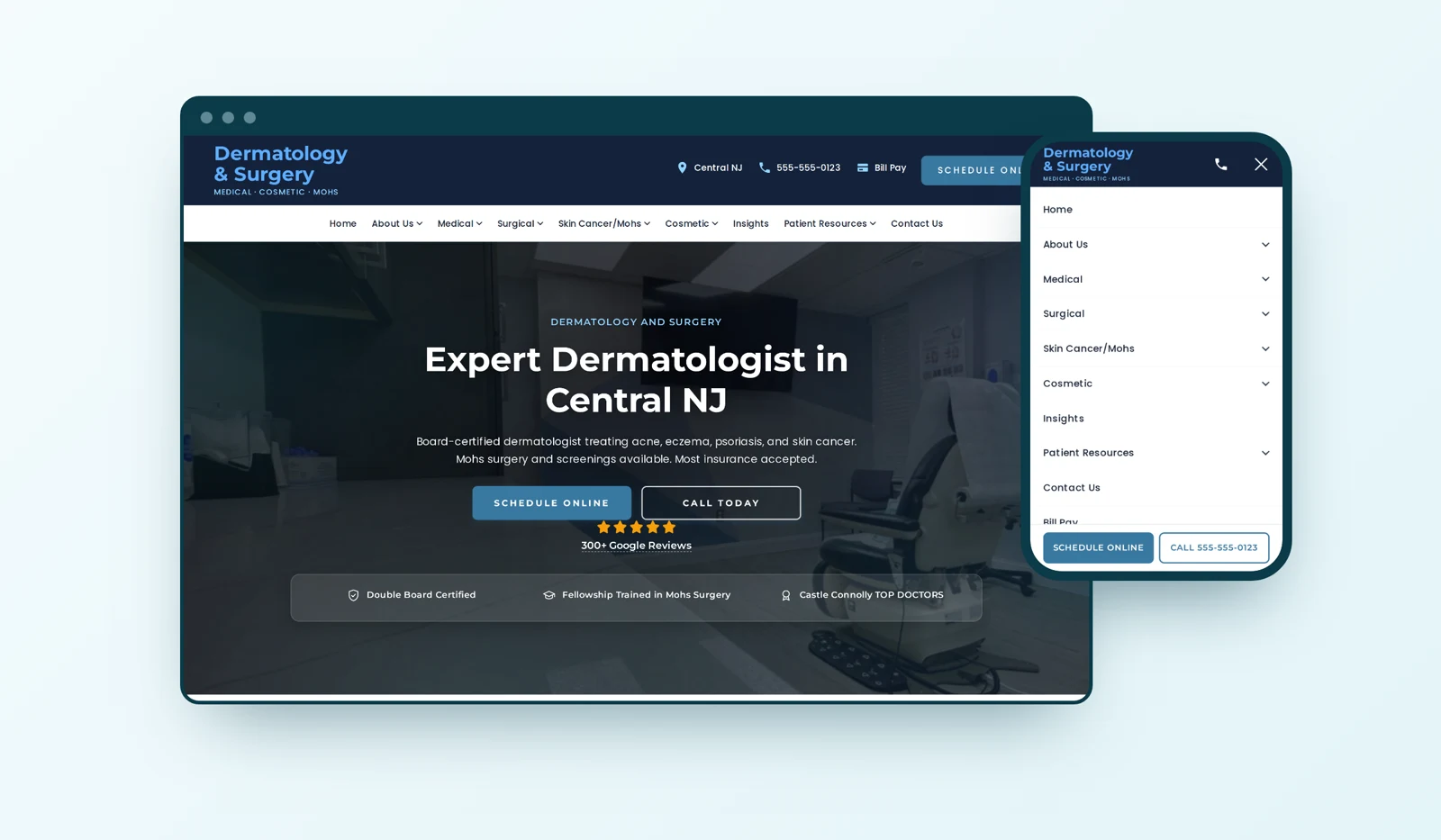
Dermatology Website Design: Why We Built It This Way
Most of the design choices on a dermatology site we rebuilt answered one question: how does a patient get from worried about a spot to a booked visit? Here is what we chose and why.

New Website or Fix the One You Have? How to Decide
Not every practice that wants a new website needs one. One check shows whether to fix the site you have or rebuild it.

Healthcare SEO: Service Pages or Condition Pages?
Should a healthcare practice build a service page or a condition page? Use a patient-first framework to choose, link, and measure the pages that matter.